


Fun Smile Silly Live Wallpaper
4.681.00 Reviews
App Specs
- Version
- 12.0
- Updated On
- License
- Free
- Downloads
- 5,000,000+
- Developer
- Anderson Tony
- Categories
- Personalization
- Platform
- Android
Screenshots
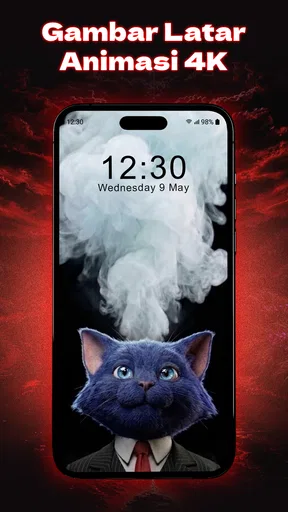
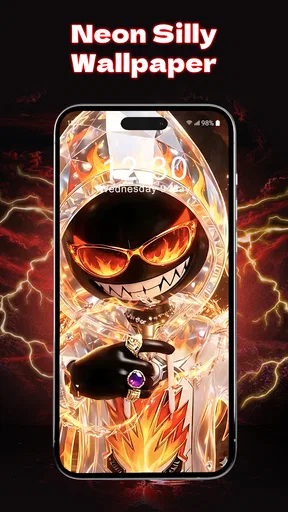

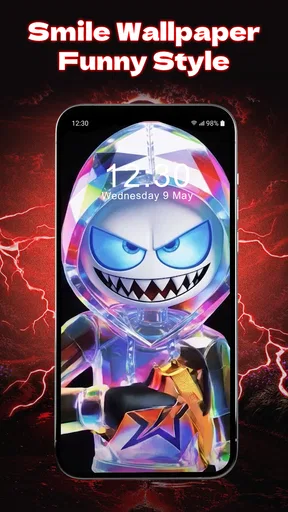
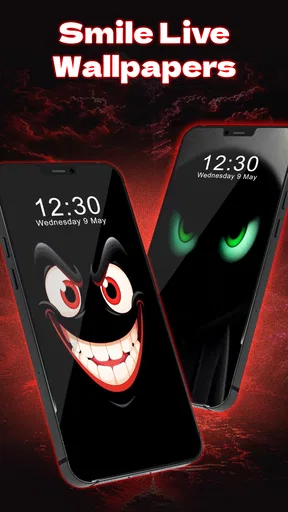
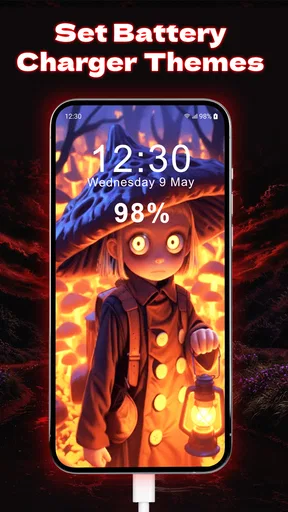
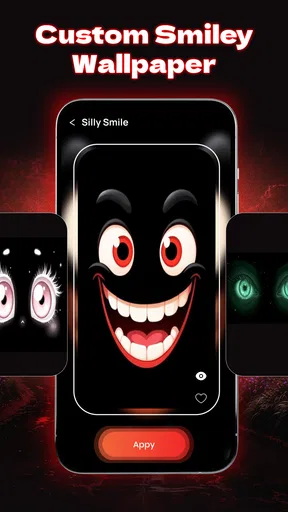
 Analysis by AppCompare
When I pick a wallpaper, I’m usually trying to solve a small everyday problem: my phone looks dull, but I don’t want a complicated customization project. Fun Smile Silly Live Wallpaper aims for a simple change of mood, using animated smiley faces rather than a realistic photo or a still graphic. That makes it a very specific kind of personalization app: a good fit if you want your screen to feel playful, but not the right choice if you prefer a quiet, understated background.
I’d think of it as a visual accent, not a full phone makeover. It doesn’t change how I organize apps or make notifications easier to manage; its appeal is that brief moment when I wake or unlock the screen and see something cheerful. The distinction matters, because a live wallpaper is most satisfying when you want animation to be part of the phone’s everyday look—not when you expect it to add practical tools.
Choosing it for the right kind of screen
The app is in the personalization category, and Anderson Tony’s offering has an easy-to-understand purpose: bring silly animated faces to the background. It’s free to install, rated for Everyone, and sits at a 4.5 average from around 9,400 ratings, with more than a million installs. Those figures suggest that the playful idea has found an audience, though I’d still judge it by whether this style suits your own home screen.
The first decision is really about visual noise. If you keep a lot of icons on your first page, a busy animation can compete with labels and widgets. I’d try the wallpaper on the screen you actually use, not just admire it on an uncluttered preview. A face-filled background that looks charming by itself might be harder to live with behind a dense grid of apps.
From installation to a usable setup
The basic flow is straightforward: install the app, pick a smiley look, adjust the available presentation, and set the wallpaper. The original attraction is the animation, but the useful part is being able to tune its presence. The speed and density controls described for the app give you a way to move between a lively display and a lighter scattering of faces.
My practical tip is to start restrained. Choose a lower visual density and a calmer animation pace first, then live with it through a normal day before making it busier. That gives you a fair sense of whether the wallpaper works alongside your app icons, lock-screen glance, and daily habits. It is much easier to add visual energy later than to keep wondering why the screen suddenly feels crowded.
Theme choice is another part of that setup. Classic yellow smiles are the obvious cheerful option, while brighter or seasonal looks can make the phone feel more expressive. I’d pick a theme that contrasts enough with the icons and text on your screen to keep them legible. A striking color scheme can look fun in isolation but become tiring if it fights the rest of your layout.
Worth Reading Before You Choose

EA SPORTS FC Mobile 26 Is a Bigger Football Game, but It Takes Time

Flipboard Shows What News Apps Must Do Beyond the Feed

Switching to Android Auto Means Rethinking Your Driving Routine

Google Calendar Makes a Crowded Week Easier to Manage

Ludo King Makes the Most of the Minutes Between Plans

Baby Panda World Brings Quick Play to Modern Phones, but Its Game Library Feels Busy
Where it fits into a real day
Imagine checking your phone between errands or opening it during a short break at work. The wallpaper doesn’t shorten the task or change what the phone can do, but it can make that small pause feel less sterile. That is the strongest use case I see: someone who enjoys a goofy visual detail and wants their personal device to feel less generic.
It may also suit a secondary phone or a home screen kept deliberately simple. With fewer icons competing for attention, the animated faces have room to be the point rather than background clutter. For a shared family device, the lighthearted style may be more inviting than a plain default image, though the Everyone age rating is not a claim that every person will enjoy the look.
There is a handoff between choosing the design and living with it: once the wallpaper is set, the app’s job is mostly done, while your launcher and screen layout determine how it feels in use. If the animation distracts from a widget or makes text difficult to pick out, I’d change the density or theme before blaming the whole concept. If you still prefer a calmer screen after trying those adjustments, a static image is probably the better match.
What to expect from animation and upkeep
Compared with a standard still wallpaper, this one adds motion and personality, but that motion is also the trade-off. Static backgrounds are easier to ignore and often suit people who want their home screen to stay visually quiet. Other personalization choices, such as arranging icons or using a plain color, can make a phone feel more individual without adding an animated layer. I’d choose this app when the moving smiley look itself is the reason to customize.
Live wallpapers can make people think about battery use and smoothness, so I would pay attention to how the phone feels after setting one rather than relying on a general promise. The original experience described here was smooth, with no noticeable lag or battery drain, but results can vary with device and usage. If your phone is already struggling, or you need every bit of battery for a long day away from a charger, a static background is the sensible fallback.
There is also a practical distinction between the wallpaper and the app used to choose it. Once you have settled on a look, you may not need to revisit the selection process often. That makes it worth taking a moment during setup to check the result on the screen you use most, instead of repeatedly changing themes in search of a perfect match. A simple test—unlock, read a few icons, open a widget, then decide whether the motion feels pleasant—can save unnecessary tinkering.
Brightening Up Your Screen
Alright, let’s dive into what makes Fun Smile Silly Live Wallpaper such a joy. First off, it’s all about those vibrant, animated smiley faces that dance across your display. The colors are bold, and the animations are smooth, creating this cheerful vibe that’s hard to ignore. Seriously, it’s like having a mini party on your phone!
Setting it up is a breeze. You download the app, choose your favorite smiley theme, and voilà, your wallpaper is ready to go. It’s super intuitive, so even if you're not the most tech-savvy person out there, you'll find it straightforward.
Customization Galore
Now, what’s a live wallpaper app without some cool customization options, right? This app doesn’t disappoint. You can tweak everything from the speed of the animations to the density of the smiley faces. Want your screen to be flooded with smiles? You got it. Prefer a more subtle sprinkle? That’s possible too. It’s all about personalizing it to match your mood or style.
And let’s talk about the themes! There are so many to choose from. Whether you’re in the mood for classic yellow smiles or something more offbeat like funky neon or even seasonal themes, there’s something in the mix for everyone. It’s like a wardrobe change for your phone.
Performance and Battery Life
Alright, onto the nitty-gritty that we all care about: performance. I was pleasantly surprised to find that despite being so lively, the wallpaper doesn’t hog your device’s resources. I’ve had live wallpapers in the past that drained my battery faster than you can say “low power mode,” but this one seems to be well-optimized. It runs smoothly without noticeable lag or battery drain, which is a huge win in my book.
It’s also not one of those apps that bombard you with ads every second. It’s pretty minimal on the ad front, ensuring you’re not constantly interrupted, which is always a relief.
Why You’ll Love It
What I truly love about this app is its ability to inject a bit of joy into my day. I mean, how often do you look at your phone? Probably more than you’d like to admit. So why not make those glances a little more fun with a sprinkle of silliness? It’s amazing how something so simple can put you in a good mood.
Plus, it’s a great conversation starter. I can’t count the number of times someone’s peeked over at my phone and commented on how fun and unique my wallpaper is. It’s those little moments that make it worth it.
What might get in the way
My biggest reservation is that this is a strong visual choice, not a neutral one. Bright faces and movement can be delightful at first, but they may lose their charm if you prefer a clean screen or often use your phone in settings where a flashy background feels out of place. I’d skip it if you rely on a subdued display for focus, or if your icons and widgets already make the home screen busy.
It is also worth separating the free download from the full spending picture. The app is free, with optional in-app purchases priced from $3.99 to $14.99 per item. I would begin with the free experience and only consider paying if I found a particular extra genuinely useful; there is no reason to spend just because a customization app offers add-ons. Version 11.0 is the current release, and it requires Android 7.0 or later.
That Android requirement is an important practical check before you plan around it. If you use an older device, it may not be an option, and if you are choosing between platforms, this review is focused on the Android experience. For someone who simply wants to refresh a screen with a still picture, the phone’s built-in wallpaper picker is quicker and avoids an animated background altogether.
Small choices that improve the result
One useful way to judge the setup is to test it in the order you actually use your phone: first look at the lock screen, then unlock and scan the home screen, then open the screen with the most important widget or app shortcuts. This catches a common mismatch—an animation that looks good in a preview but makes a frequently used page feel too active. If that happens, reduce the density before abandoning the wallpaper.
I’d also treat theme changes as occasional, rather than switching every time the mood shifts. A consistent look can make the device feel intentional; constant changes can turn a quick personalization task into another thing to maintain. Seasonal styles are best when you genuinely enjoy them, not because you feel obliged to keep the screen fresh.
For battery-conscious users, compare a normal day with the wallpaper enabled against your usual routine, especially if you already keep the screen bright or use the phone heavily. That isn’t a scientific test, but it is more useful than guessing from the word “live.” If you notice a meaningful difference for your own habits, switching back to a still background is an easy compromise. I’d make that choice based on your phone, not on someone else’s experience.
Who I would recommend it to
I’d recommend it to people who like expressive, slightly silly design and want a small dose of fun each time they glance at their phone. It is particularly suited to someone who enjoys changing themes, keeps a reasonably uncluttered home screen, and is comfortable with animation being part of the background. The app’s 4.5 average and audience of over a million installs make it a well-established pick in this playful niche, but personal taste matters more than popularity here.
I’d steer away from it if your priority is a minimal interface, maximum visual calm, or a background that never competes with work. It is also not the best answer if you are looking for icon packs, widgets, or broader layout controls: this is a live wallpaper app, so its value is concentrated in the background rather than a complete redesign. A static photo, plain color, or your device’s standard wallpaper options will be more suitable in those cases.
The age rating is Everyone, which makes the presentation broadly approachable, but the silly style is still a matter of taste. I can imagine it working well on a personal phone or as a lighthearted choice for someone who enjoys bright animation, while feeling too playful on a device used mainly for formal presentations. Think about where and how you use the phone before setting it as the permanent look.
In a typical day, I’d set it up at home, use a restrained face density, and then check how it feels during a quick morning glance and a work break. If it makes those moments lighter without getting in the way of reading the screen, I’d keep it. If I catch myself noticing the motion when I’m trying to focus, I’d switch to a still background rather than forcing myself to like it. That simple trial answers the main question better than choosing a theme based only on its preview.
Final Thoughts
In a world where we’re constantly bombarded with serious news and endless notifications, having a touch of whimsy with the Fun Smile Silly Live Wallpaper is a delightful escape. It’s light, cheerful, and just plain fun. If you’re looking to add a bit of color and happiness to your everyday tech experience, I’d strongly suggest giving this app a whirl. It’s like a little piece of joy, right in your pocket.
So go ahead, download it, and let your phone join in on the fun. Trust me, you won’t regret it!
Pros
- Vibrant and engaging animations.
- Easy to customize settings.
- Battery-efficient performance.
- Supports a variety of devices.
- Regular updates with new features.
Cons
- Limited free customization options.
- Ads can occasionally be intrusive.
- Requires Android 5.0 or higher.
- May lag on older devices.
- Some features locked behind paywall.
FAQs for Fun Smile Silly Live Wallpaper
What is Fun Smile Silly Live Wallpaper and how does it work?
Fun Smile Silly Live Wallpaper is an interactive live wallpaper app designed to bring a dose of fun to your device. It features animated smiley faces and quirky backgrounds that respond to touch and device movements. Once installed, you can set it as your wallpaper and customize various elements to suit your mood or style.
Is Fun Smile Silly Live Wallpaper compatible with all devices?
While Fun Smile Silly Live Wallpaper is designed to work with most Android devices, compatibility can vary depending on your device's specifications and operating system version. It's always a good idea to check the app's requirements on the Google Play Store to ensure smooth operation on your specific device.
Does using Fun Smile Silly Live Wallpaper affect battery life?
Live wallpapers generally consume more battery than static wallpapers due to their interactive and animated nature. Fun Smile Silly Live Wallpaper is optimized for efficiency, but users may notice a slight increase in battery usage, especially if the animations are highly interactive. Adjusting settings can help manage battery consumption.
Can I customize the animations and backgrounds in Fun Smile Silly Live Wallpaper?
Yes, Fun Smile Silly Live Wallpaper offers a range of customization options. Users can select different smiley face animations, change background colors, and adjust animation speed. This allows you to tailor the experience to your personal preferences, ensuring that your device reflects your unique style.
Is Fun Smile Silly Live Wallpaper free to use, or does it have in-app purchases?
The app is available for free download, providing a basic set of features that are enjoyable right from the start. However, it may offer in-app purchases for additional customization options and premium features. These purchases can enhance the overall experience but are entirely optional.


